Agent mode
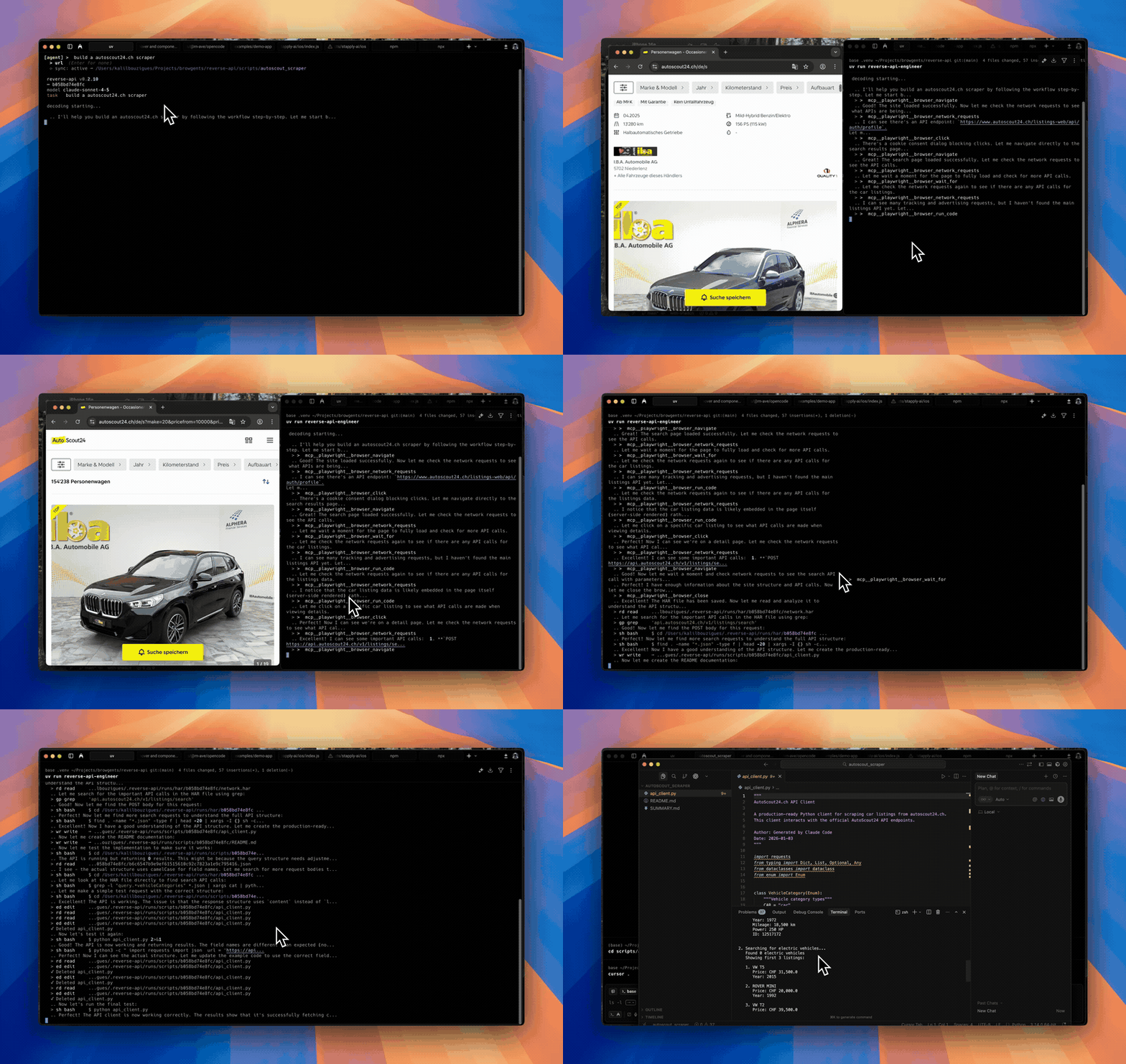
Fully autonomous browser interaction. The AI browses, captures, and writes the client end-to-end.
Agent mode hands the steering wheel to the AI. Describe the goal in plain
English; providers such as Playwright MCP or Chrome DevTools MCP route browser actions over MCP, whereas agent-browser shells upstream's CLI directly after Reverse API Engineer resolves the binary (PATH agent-browser, else npm install -g <pin>, else npx -y) and prompt-injected skill workflows.
When to use it
- You want full automation, no manual browsing required.
- The site exposes a stable, predictable flow (public job boards, docs sites, marketing APIs).
- You're scripting captures from another agent, a cron job, or CI.
Running interactively
reverse-api-engineer
# the REPL starts in agent mode
> click on the first job listingRunning non-interactively
reverse-api-engineer agent \
  --prompt "capture the public jobs api" \
  --url https://example.com/jobs \
--json | jqThe --json flag makes the command emit a single JSON document on stdout
(see Scripted usage for the schema and exit
codes).
Use --json-stream when a supervising agent wants NDJSON progress events
during the browser and generation loop:
reverse-api-engineer agent \
  --prompt "capture the public jobs api" \
  --url https://example.com/jobs \
--json-streamFor wrapper or CI validation without launching a browser, use:
reverse-api-engineer agent \
  --prompt "capture the public jobs api" \
  --url https://example.com/jobs \
--dry-run--dry-run implies JSON output and checks prompt, URL, SDK config, browser
tooling, and output directory writability.
Agent providers
Pick the provider in /settings then "agent provider".
Playwright MCP browser automation with your configured SDK. Combines
browser control and real-time reverse-engineering in a single workflow.
Use --headless when running on machines without a display.
Reasoning model
The agent's reasoning model is the same as your configured SDK model. See Model selection to change it.